






Getting the cutting speed right is one of the most important parts of working with a fiber laser cutter machine. Whether you're cutting metal sheets for fabrication or creating detailed metal components, the speed you choose affects edge quality, accuracy, material waste and production time.
Understanding fiber laser cutting speed helps you avoid common problems such as rough edges, incomplete cuts and excessive heat. However, faster doesn't always mean better. The ideal speed depends on the material, thickness, laser power and the finish your project requires.

What Is Fiber Laser Cutting Speed?
Fiber laser cutting speed refers to how quickly the laser cutting head moves through a material while maintaining a complete cut. It is commonly measured in millimetres per minute (mm/min) or metres per minute (m/min).
A fiber laser cutter machine uses a focused laser beam to heat and melt material along a programmed cutting path. Assist gas helps remove molten material from the cut, allowing the laser to create precise shapes and edges.
Choosing the right speed means balancing production efficiency with cutting quality. Moving too quickly can leave sections uncut, while moving too slowly may increase heat exposure and produce unwanted edge defects.
What Factors Affect Fiber Laser Cutting Speed?
Several factors determine how quickly a laser can cut through metal. Understanding them helps operators select more reliable settings.
Material Type and Thickness
Material thickness directly influences fiber laser cutting speed. Thin metal sheets generally allow faster cutting, while thicker materials require more energy and slower movement.
Different metals also respond differently to laser energy. Stainless steel, mild steel and aluminium have different thermal properties, meaning the same settings will not necessarily produce identical results.
Laser Power and Focus
Laser power influences how much energy is available for cutting. Higher-powered equipment can often process thicker materials or maintain faster cutting speeds, provided the other settings are suitable.
Correct focus is equally important. A poorly positioned focal point can reduce cutting efficiency, create uneven edges and make an otherwise capable fiber laser cutter machine perform below expectations.
Assist Gas and Pressure
Assist gases such as nitrogen and oxygen play an important role in metal cutting. Nitrogen is commonly used when clean, oxide-free edges are required, while oxygen can support cutting certain steels through an additional chemical reaction.
Gas selection and pressure affect how effectively molten material leaves the cutting area. Incorrect settings can reduce fiber laser cutting speed and compromise the finished edge.
How Cutting Speed Affects the Quality of Your Projects

Finding the right speed is not simply about completing a job quickly. It also determines how much finishing work may be needed afterwards.
When Cutting Speed Is Too Fast
Excessive speed may prevent the laser from fully penetrating the material. This can cause incomplete cuts, rough edges and unwanted material connections.
For businesses producing metal components, these defects can lead to wasted sheets and additional processing time. Increasing fiber laser cutting speed without checking cut quality may ultimately reduce productivity.
When Cutting Speed Is Too Slow
Slow cutting can increase heat exposure around the cutting path. Depending on the material and assist gas, this may create excessive kerf width, dross or discolouration.
The best approach is to find the fastest speed that still delivers a complete, consistent cut. A properly configured fiber laser cutter machine should balance efficiency with the required finish.
How to Find the Right Fiber Laser Cutting Speed
Finding suitable settings takes testing, especially when changing materials or thicknesses.
-
Identify the material and thickness. Confirm the metal grade and sheet thickness before selecting cutting parameters.
-
Check the machine's recommended settings. Use the manufacturer's cutting data as your starting point.
-
Perform a small test cut. Begin with a simple shape to examine penetration and edge quality.
-
Adjust the cutting speed gradually. Change one setting at a time to understand how it affects the result.
-
Inspect the finished edge. Look for dross, incomplete cuts, excessive heat effects or uneven surfaces.
-
Save successful settings. Record the material, thickness, power, gas and speed for future projects.
For example, a Canadian metal fabrication shop cutting stainless steel brackets can test several speeds before processing a large order. A few test cuts can help prevent wasted materials and improve consistency.
Cutting Speed vs. Engraving Speed: What's the Difference?

Although the terms sound similar, cutting and engraving are different processes.
A fiber laser cutter machine designed for sheet metal cutting typically uses a cutting head and assist gas to separate material completely. Its cutting speed describes how quickly it can move through the workpiece while producing a full cut.
A fibre laser engraver, meanwhile, removes or modifies material at the surface to create text, patterns, identification marks or shallow recesses. Its engraving speed describes how quickly the laser scans across the marking area.
Understanding this distinction is important when comparing equipment. A machine advertised with a high engraving speed does not necessarily offer the same performance for cutting metal sheets.
Choosing a Fiber Laser Machine for Metal Projects
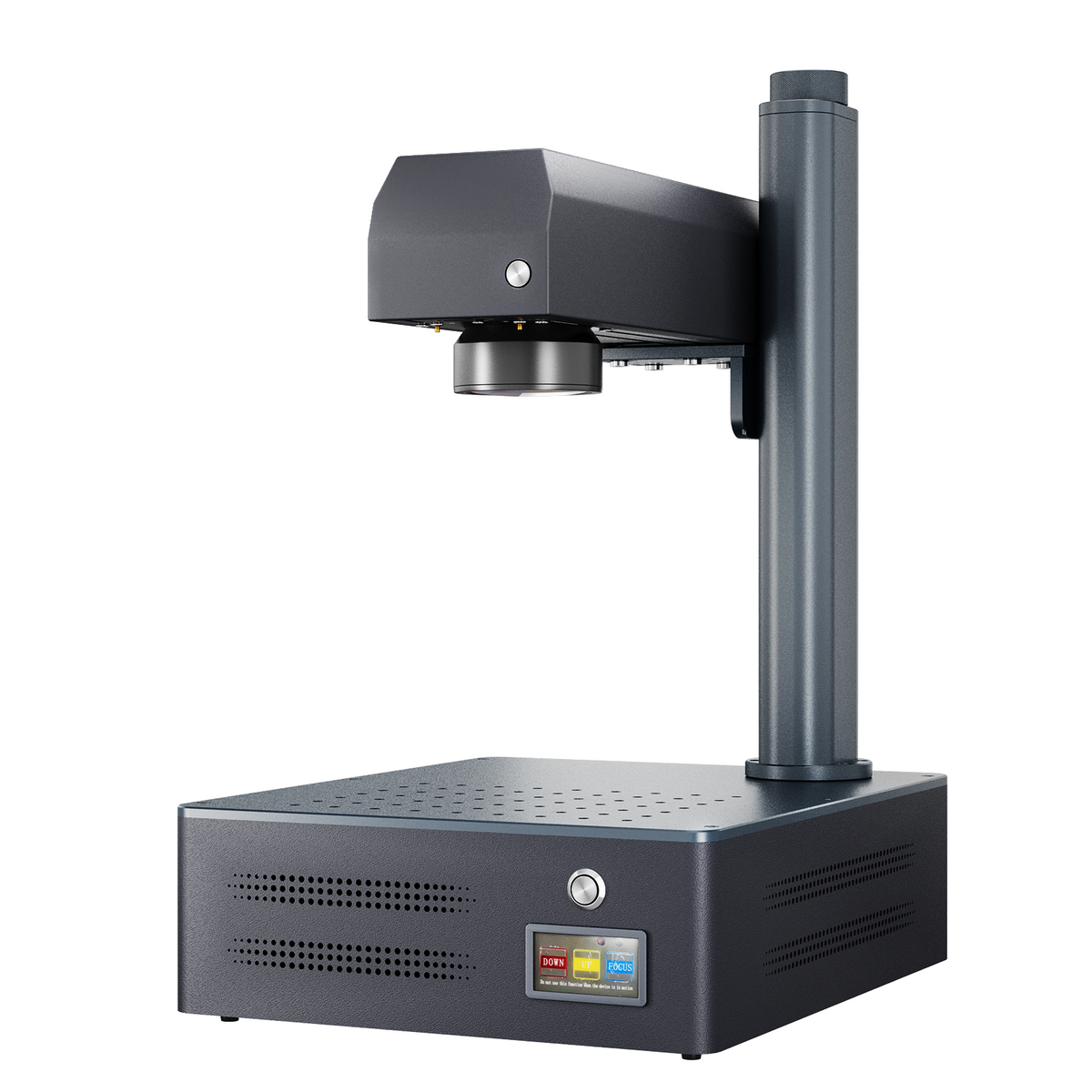
Monport GM 30W Pro Integrated JPT MOPA Fiber Laser Engraver & Marking Machine with AutoFocus

If your projects involve cutting metal sheets, look for equipment specifically designed for through-cutting. Consider laser power, supported material thickness, cutting head design, assist gas requirements and the manufacturer's recommended cutting parameters.
For businesses focused on marking or personalising metal products rather than cutting sheets, a fibre laser engraving machine may be more suitable.
Monport GM 30W Pro for Metal Engraving Projects
The Monport GM 30W Pro Integrated Fiber Laser Engraver & Marking Machine with AutoFocus is an option for users creating detailed metal markings, identification tags and personalised products.
Its provided specifications include 30W laser power, a maximum engraving speed of 10,000 mm/s, 0.01 mm engraving accuracy and a 150 × 150 mm engraving area. It also features one-touch autofocus, a 30–60 kHz frequency range and compatibility with LightBurn and BslAppSimple.
These specifications relate to engraving and marking performance, not sheet-metal cutting capability. The machine's maximum engraving speed should not be interpreted as a verified fiber laser cutting speed.
For workshops producing engraved metal nameplates, serial numbers or customised accessories, the GM 30W Pro can support detailed marking work without requiring a large cutting system.
Explore Monport's fibre laser engraving solutions to find equipment suited to your metal marking projects and production needs.
Common Mistakes That Reduce Cutting Efficiency
Even experienced operators can encounter problems when adjusting fiber laser cutting speed. Small mistakes can affect both the finished product and overall productivity.
One common issue is using the same settings for different materials. A speed suitable for thin mild steel may not work properly on thicker stainless steel or aluminium.
Another mistake is increasing speed without checking focus, gas pressure or nozzle condition. These factors work together, and overlooking one can affect cutting performance.
Finally, failing to record successful settings can lead to unnecessary testing. Keeping a simple cutting log makes future projects easier and helps operators achieve more consistent results.
Key Takeaways
-
Fiber laser cutting speed affects cutting quality, production efficiency and material waste.
-
Material type, thickness, laser power, focus and assist gas all influence cutting performance.
-
A fiber laser cutter machine should be adjusted according to the material and required edge quality.
-
Cutting too quickly can cause incomplete cuts, while excessive heat exposure can create defects at slower speeds.
-
Laser cutting speed and engraving speed are different specifications and should not be compared directly.
Conclusion
Understanding fiber laser cutting speed helps you make better decisions when processing metal materials. Rather than focusing only on maximum speed, aim for settings that provide clean edges, complete cuts and consistent production results.
A properly configured fiber laser cutter machine can improve efficiency when its cutting parameters match the material and project requirements. For businesses specialising in metal personalisation, Monport also offers engraving equipment designed for detailed marking applications.
Choose the right equipment for your project, test your settings carefully and prioritise consistent results over maximum advertised speed.
Frequently Asked Questions
What Is the Ideal Cutting Speed for a Fibre Laser Cutter?
The ideal speed depends on laser power, material type, thickness, assist gas and required edge quality. Manufacturer cutting charts and test cuts provide the most reliable starting point.
Does Higher Laser Power Increase Cutting Speed?
Higher laser power can allow faster cutting under suitable conditions. However, the actual improvement depends on the material, thickness, focus and other cutting parameters.
Why Is My Fibre Laser Not Cutting All the Way Through?
Incomplete cuts may result from excessive cutting speed, insufficient power, incorrect focus, unsuitable gas pressure or dirty optical components. Check the machine's recommended settings before making adjustments.
Can a 30W Fibre Laser Engraver Cut Thick Metal?
A 30W fibre laser engraver is primarily intended for marking and engraving. It should not be treated as a dedicated thick-metal cutting machine, even if it can remove small amounts of material through repeated passes.
How Can I Improve Fibre Laser Cutting Speed Without Losing Quality?
Start with manufacturer-recommended settings, maintain correct focus and gas pressure, inspect the cutting nozzle and make gradual speed adjustments. Test cuts help identify the fastest setting that maintains acceptable edge quality.


