






If you are researching color laser engraving on aluminum or looking for a color laser engraver, there is an important distinction to understand first. Stainless steel is one of the most established metals for true laser colour marking, while aluminium usually produces stronger white, grey or dark marks rather than the same vibrant oxide-based colours.
That does not make color laser engraving on aluminum unimportant. Aluminium is widely used for tags, plates, electronics housings and personalised products, and a suitable color laser engraver can produce clean, permanent-looking marks. The trick is matching the machine and settings to the actual material instead of assuming every metal behaves the same way.
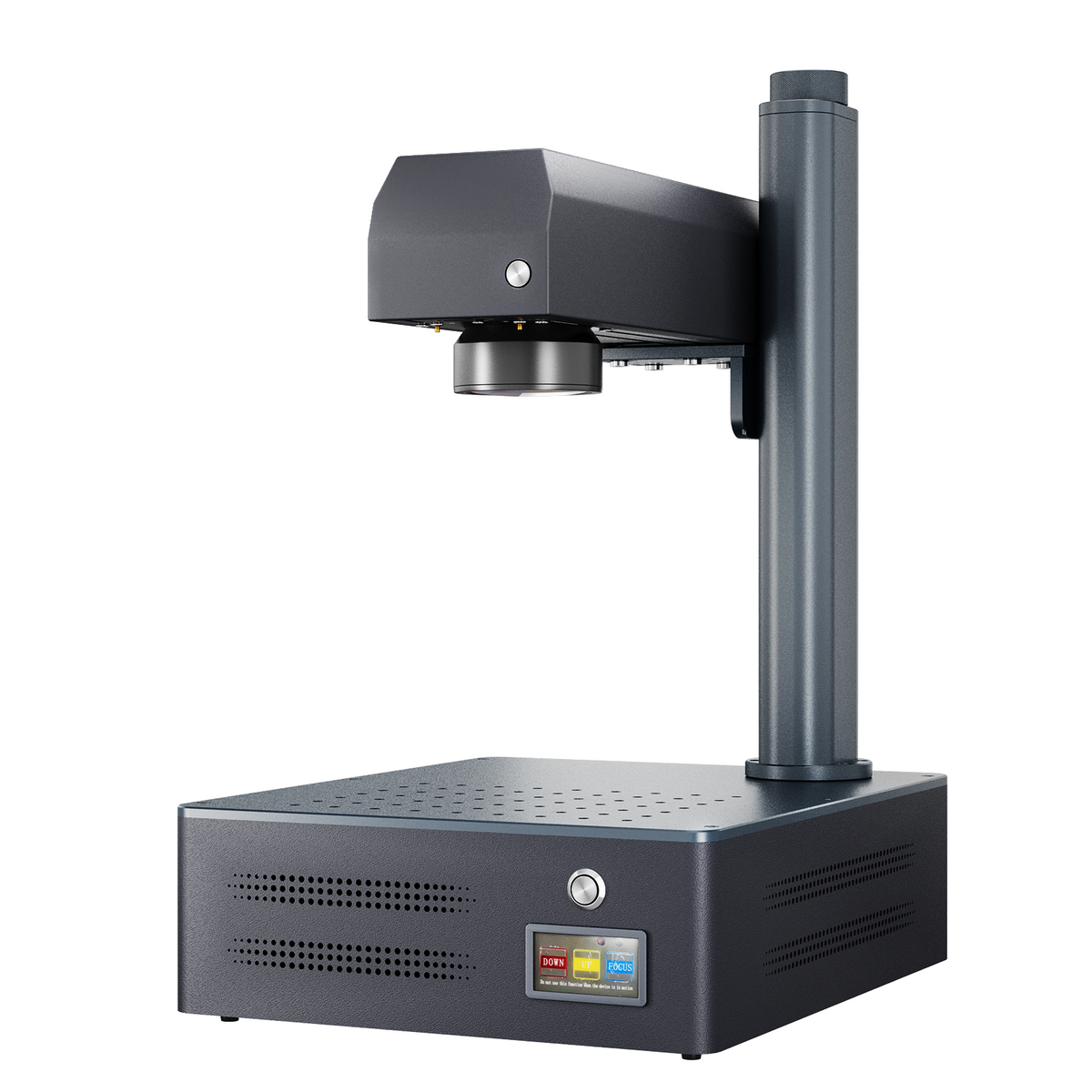
Monport GM 30W Pro Integrated JPT MOPA Fiber Laser Engraver & Marking Machine with AutoFocus

How Does Colour Laser Engraving Work?
True metal colour marking does not work like printing with coloured ink. A MOPA fibre laser carefully heats the surface, creating an extremely thin oxide layer whose thickness affects how light reflects from the metal.
This is why a MOPA color laser engraver is often preferred for stainless-steel colour work. Adjustable pulse width and frequency give the operator more control over the heat delivered to the surface.
With color laser engraving on aluminum, the situation is different. Industry guides generally find that bare aluminium is better suited to high-contrast marking, while anodised aluminium can produce a crisp mark by removing or changing the coloured surface layer.
Can You Really Get Colour on Aluminium?

This is one of the most common questions surrounding color laser engraving on aluminum.
The short answer is: not in the same straightforward way as stainless steel. True oxide-based colour is generally much more reliable on stainless steel and titanium. Bare aluminium can be marked effectively with a fibre laser, but expecting a rainbow-style result can lead to disappointment.
Anodised aluminium is another story. A laser can remove the coloured anodised layer and reveal the lighter aluminium underneath, creating sharp lettering, logos and graphics. For businesses making dog tags, nameplates, equipment labels or promotional products, that contrast can be more useful than colour.
So before buying a color laser engraver, decide whether you need actual colour marking or simply a strong, clean mark on aluminium.
Which Settings Control the Colour?

For stainless steel, the main variables are power, speed, frequency, pulse width and hatch spacing.
Power and Speed
Power controls the energy delivered to the material, while speed determines how long the laser interacts with each area. More heat does not automatically mean a better result; too much can push the mark beyond the colour you were aiming for.
Current MOPA guides show that even small parameter changes can move stainless-steel results from gold towards purple or blue. Published settings should therefore be treated as starting points, not guaranteed recipes.
Frequency and Pulse Width
Frequency controls how frequently pulses are delivered, while pulse width controls pulse duration. These settings are particularly important when trying to create different colour effects.
A MOPA color laser engraver gives you more control over these variables, which is why MOPA systems are commonly recommended for stainless-steel colour marking.
For color laser engraving on aluminum, these same settings can still influence marking quality, but they should not be treated as a guaranteed recipe for producing stainless-steel-style colours.
Hatch Spacing
Hatch spacing is the distance between adjacent scan lines. Smaller spacing increases overlap and heat input, which can change the density and appearance of the mark.
If a colour looks uneven, do not immediately increase power. Check your hatch spacing and focus first.
Why Testing Matters More Than Copying Settings

One of the easiest mistakes with color laser engraving on aluminum and stainless steel is copying a setting from another machine and expecting exactly the same result.
The laser wattage, field lens, material grade, surface finish and focal position can all affect the outcome. Even stainless-steel grades can behave differently, which is why current industry guides recommend running a test matrix whenever the material changes.
Start with a small scrap piece. Create a grid and change one variable at a time, then record the result.
For example, you might keep power constant while changing frequency and pulse width. Once you find a promising area, test speed and hatch spacing around that combination.
This simple process gives you something much more valuable than a random online setting: your own repeatable material profile.
What Projects Work Best?

A color laser engraver can be useful for far more than decorative experiments.
For stainless steel, consider colourful logos, bottle openers, badges, jewellery components, tumblers, tools, promotional products and personalised gifts. Colour can be particularly effective when the design contains larger blocks rather than extremely fine scattered details.
For aluminium, color laser engraving on aluminum is better suited to applications such as equipment labels, serial plates, control panels, dog tags, anodised business cards, electronics housings and identification plates.
The right project often determines the right laser. A workshop producing mostly anodised aluminium labels may have very different requirements from one producing colourful stainless-steel drinkware.
What Should You Look for in a Laser?
When comparing a color laser engraver, do not focus only on wattage.
Look for the laser type, wavelength, adjustable parameters, working area, focusing system and software compatibility. If colour is essential, confirm that the machine actually supports colour marking rather than assuming that every fibre laser can produce it.
Competitor guidance makes the same distinction. OMTech recommends 1064 nm fibre systems for bare aluminium, while Thunder Laser notes that MOPA fibre technology is particularly flexible for controlled colour marking on suitable metals.
That comparison is useful because it shows why a machine should be selected according to the material and finished appearance you need.
Where the Monport GM 30W Pro Fits

For workshops focused on detailed aluminium marking rather than true colour marking, the Monport GM 30W Pro Integrated JPT MOPA Fiber Laser Engraver offers a practical specification set.
It has 30W rated power, a maximum engraving speed of 10,000 mm/s, a 5.9 × 5.9-inch (150 × 150 mm) engraving area, 1064 nm wavelength and one-touch autofocus. It also has electric lifting and a stated expected service life of 100,000 hours.
The system supports BslAppSimple and LightBurn and works with Windows and macOS. Its stated engraving accuracy is 0.01 mm, which is useful for detailed logos, lettering and small aluminium components.
There is one specification that needs to be made completely clear: the supplied product information states “Color Engraving: NO.” Therefore, the GM 30W Pro should not be marketed as a machine for true colour engraving.
That does not make it unsuitable for this type of work. It can still be a strong option for conventional aluminium marking, deep engraving and detailed 3D relief projects. Monport also includes 10 test aluminium sheets, which gives users material for initial testing before moving on to production pieces.
Choose your machine around your actual project. If your priority is precise aluminium marking, the GM 30W Pro is worth considering; if your priority is true stainless-steel colour marking, look specifically for a colour-capable MOPA configuration.
Common Mistakes to Avoid
With color laser engraving on aluminum, the biggest mistake is assuming bare aluminium will behave like stainless steel. Material type and surface treatment matter.
Another common mistake is changing power, speed, frequency and pulse width simultaneously. If the result improves or gets worse, you will not know which change caused it.
Finally, do not judge colour only from photographs. Lighting and viewing angle can noticeably change how oxide-based colours appear on stainless steel.
Key Takeaways
-
Color Laser Engraving on Aluminum is possible for useful marking applications, but bare aluminium generally does not produce the same vibrant oxide-based colours as stainless steel.
-
Stainless steel is one of the more established materials for MOPA colour marking.
-
A MOPA color laser engraver provides adjustable pulse control that can help refine colour effects.
-
Power, speed, frequency, pulse width, hatch spacing and focus all influence the result.
-
Always test the exact material before starting production.
-
The Monport GM 30W Pro has 30W power, 10,000 mm/s maximum speed, a 150 × 150 mm working area and 0.01 mm stated engraving accuracy.
-
The supplied specification explicitly says Color Engraving: NO, so it should not be presented as a true colour-marking machine.
Conclusion
Successful color laser engraving on aluminum starts with understanding what aluminium can realistically do. While stainless steel is a stronger choice for traditional MOPA colour effects, aluminium can deliver excellent results for crisp labels, logos, identification plates and anodised products when the process is matched to the surface.
A color laser engraver is only as useful as the settings and material knowledge behind it. Take the time to test speed, power, frequency, pulse width, hatch spacing and focus instead of relying on one universal recipe.
For workshops concentrating on detailed aluminium work, the Monport GM 30W Pro provides 30W power, 10,000 mm/s maximum engraving speed, autofocus, 1064 nm wavelength and a 150 × 150 mm working area. However, because its supplied specifications state Color Engraving: NO, it should be selected for marking and engraving rather than true colour production.
If your goal is color laser engraving on aluminum, test the exact material first, keep careful records and choose equipment around the finished result. If stainless-steel colour is your priority, look for a suitable MOPA color laser engraver specifically designed for that application. Monport Laser has configurations for different engraving needs, so there is a practical place to start when matching a machine to your projects.
FAQ
Can you do colour laser engraving on aluminium?
Color Laser Engraving on Aluminum is possible in limited applications, but bare aluminium generally does not produce the same vibrant oxide-based colours associated with stainless steel. Anodised aluminium is commonly used for high-contrast laser marking.
What is the best laser for colour engraving stainless steel?
A MOPA fibre laser is generally a strong choice because adjustable pulse width and frequency provide greater control over the surface heating process.
What settings are best for colour laser engraving?
There is no universal setting. The best combination depends on the laser, lens, material grade, surface finish and desired colour, so a test matrix is recommended.
Can a 30W fibre laser engrave aluminium?
Yes. A 30W fibre laser can be used for aluminium marking and engraving. The Monport GM 30W Pro has 30W rated power, a 150 × 150 mm engraving area and a maximum engraving speed of 10,000 mm/s.
Can the Monport GM 30W Pro do colour engraving?
No. The supplied specifications specifically state “Color Engraving: NO.” It is better suited to conventional metal marking, engraving and detailed aluminium projects rather than true colour marking.


